
Build your first portfolio
An account in Wealthboard is any holding or obligation whose value you want to track. It can represent a bank account, fund, brokerage account, pension, property, vehicle, business, cash holding, or debt.
1. Confirm settings
Open Settings and check:
- Base currency: the currency for combined dashboard and report totals.
- Enabled currencies: currencies accepted for accounts, goals, and exchange rates.
- Timezone: controls local dates and reminders.
- Date format: changes how dates are displayed, not how they are stored.
Changing the base currency does not rewrite source values. Add the required exchange rates afterward so combined totals remain complete.
2. Add an institution when useful
Institutions are optional provider records. Use them for banks, brokers, fund managers, pension providers, lenders, and wallets. Leave property, vehicles, cash, and self-custodied assets unlinked when no provider is useful.
Create the institution under Institutions, then select it in the account form. The account form links existing institutions; it does not create them.
3. Create an account
Open Accounts, then select Add account.
| Field | How to use it |
|---|---|
| Account or asset name | Use a name you will recognize in reports and transfers. |
| Category | Determines asset/liability classification and reporting behavior. |
| Institution | Optional provider link. |
| Currency | The account's permanent source currency. |
| Tracking method | Use Account value for monetary replay or Units and prices for a long-only brokerage ledger. |
| Opening value | Starting balance or current value when tracking begins. |
| Cost basis | Optional reference; Wealthboard does not calculate tax basis. |
| Opened or acquired | Date from which the opening value applies. |
| Masked account reference | Keep this short and non-sensitive. |
| Include in net worth | Turn off for informational accounts you do not want in totals. |
Choose the currency carefully
An account's currency cannot be changed after creation because every transaction and valuation belongs to that currency. Create a replacement account if the original currency was wrong.
4. Add liabilities separately
Choose the Liability category for loans and other amounts owed. Enter the amount currently owed as a positive value. Use Liability payment to reduce the balance and Liability increase when the debt grows.
Liabilities reduce net worth but are not assignable as inheritance gifts in the estate planner.
5. Review the account list
Use search and filters to confirm every item has the expected category, currency, institution, status, and value.
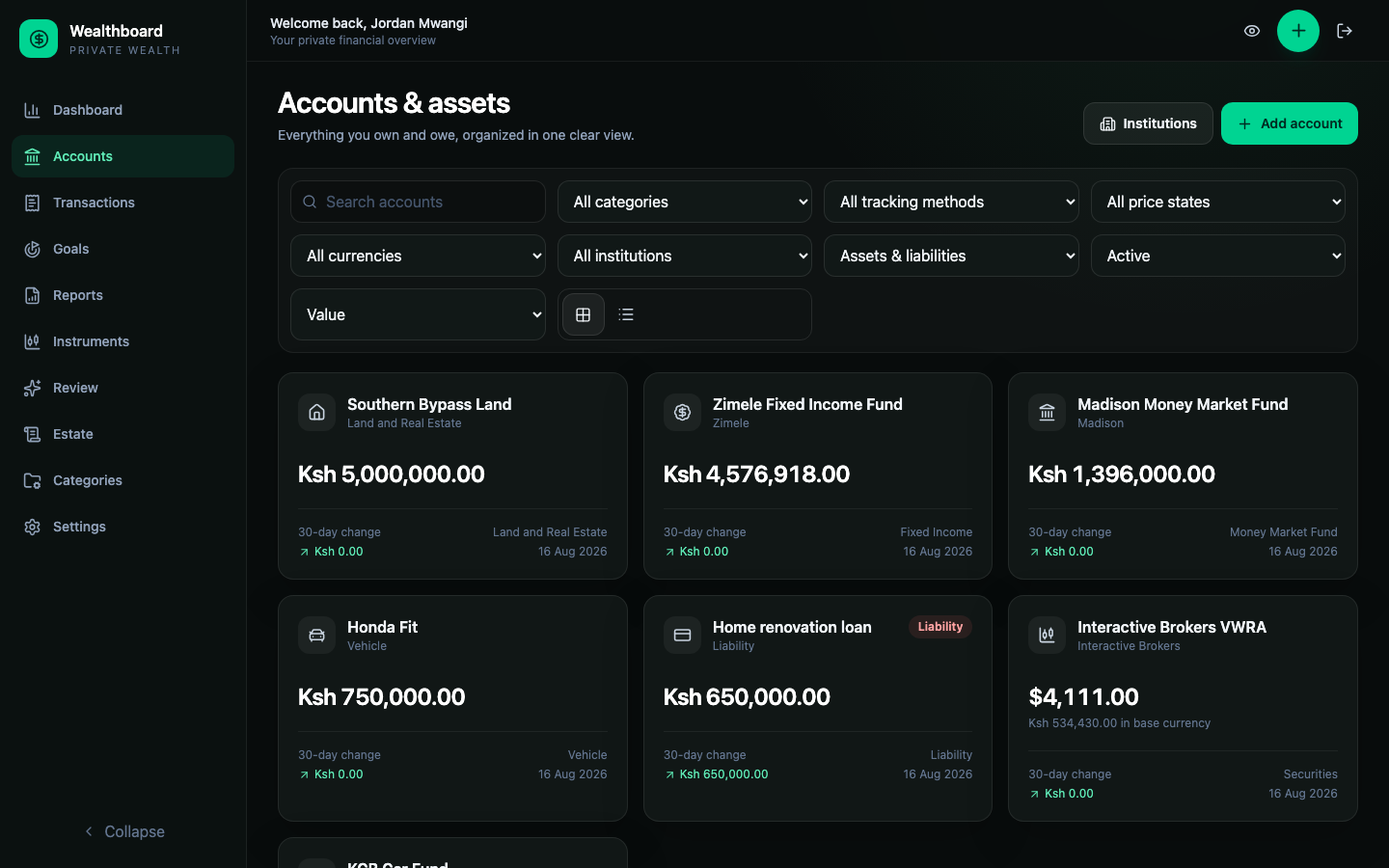
The cards show source-currency values. A foreign-currency account also shows its converted base value when a usable rate exists.
6. Decide how much history you need
You have three reasonable starting points:
- Current state only: use today's value as the opening value and continue from now.
- Key checkpoints: add occasional historical valuations.
- Detailed history: import an account-specific CSV or JSON file after the account exists.
For a manual asset such as land or a vehicle, periodic valuations are usually more useful than artificial purchase/sale transactions.
For a brokerage account that needs cash, units, and effective prices, select Units and prices before entering activity. Follow Position-tracked investments rather than importing generic purchase/sale transactions.
Reconcile before expanding
Before adding more accounts, compare the dashboard total with your source records. Resolve missing-rate warnings and incorrect liability classifications early; goals and estate summaries reuse these same balances.