
Goals
Goals turn an account balance and contribution plan into a target-date forecast. They do not move money or create transactions.
Create a goal
Open Goals, then select Create goal. Enter:
- target amount and currency;
- target date;
- optional linked account;
- planned contribution amount and frequency;
- contribution start and optional end date;
- assumed annual return;
- priority and status.
When an account is linked, its cached balance supplies current progress. Use an unlinked goal only when no account should be the source of truth.
Check linked-account values
The current Go goal read model does not convert a linked account into the goal's currency. A currency mismatch is marked incomplete even when exchange rates exist; use the same currency for the goal and account.
Position-account progress also uses the cached value, without propagating missing-price, missing-rate, or stale-price warnings. Review the account's Positions table and analytics before relying on goal progress or forecasts.
Goal progress does not treat account-internal buys or sells as contributions and does not calculate a position-account return percentage.
Read the forecast
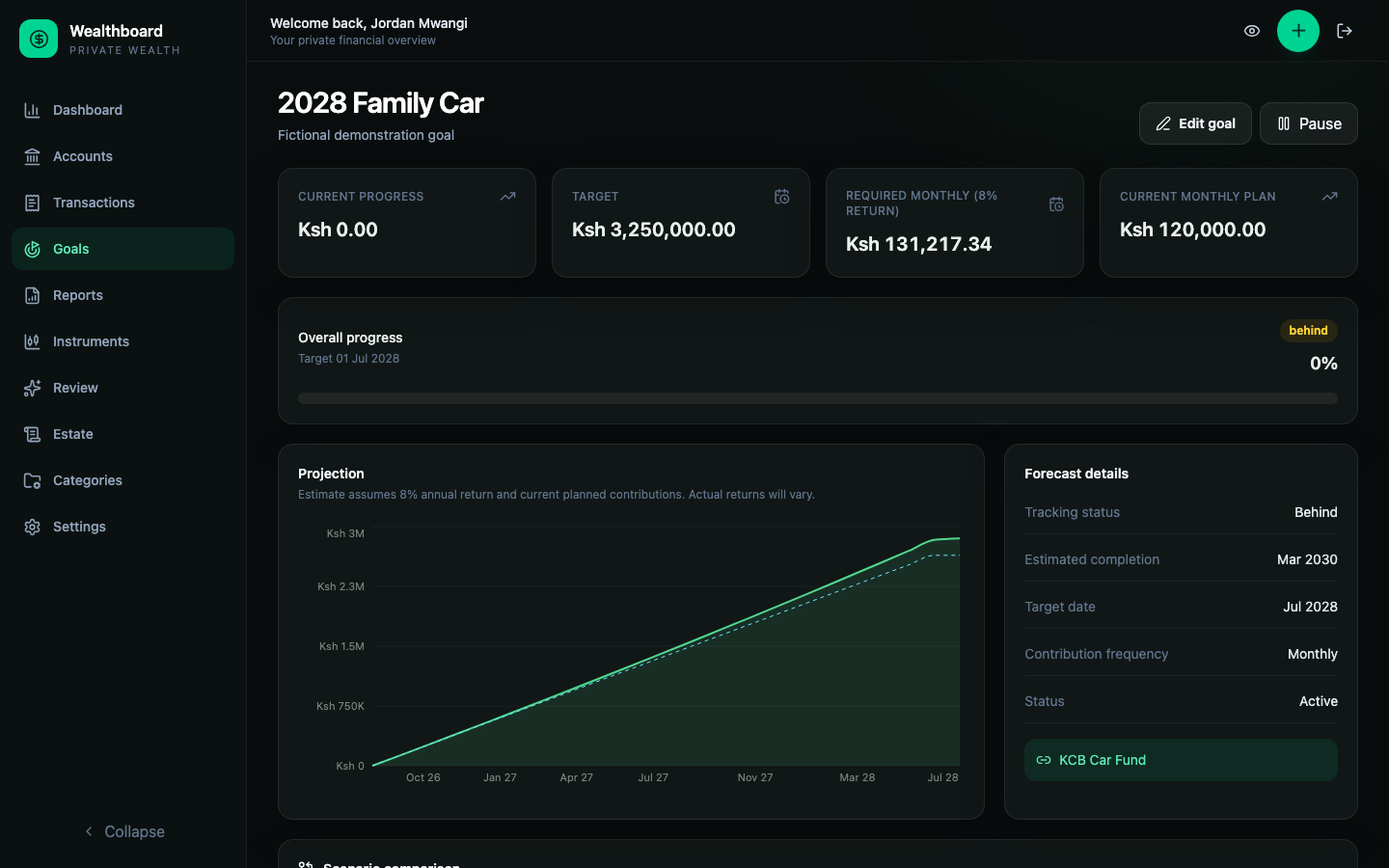
The goal page compares:
- Current progress: linked account value or manual goal amount.
- Target: the amount due on the target date.
- Required monthly: estimated monthly contribution needed under the return assumption.
- Current monthly plan: the saved contribution plan converted to a monthly pace.
- Estimated completion: projected date if the plan continues.
These are planning estimates, not promises. Fees, taxes, inflation, market volatility, and irregular contributions are not fully modeled.
Compare scenarios
Scenario controls let you change contribution and return assumptions without saving them. Use them to ask questions such as:
- What monthly amount reaches the target on time?
- How does a lower return assumption affect completion?
- How does increasing the monthly contribution change the projected target value?
Reloading the page restores the saved plan; scenario edits are deliberately temporary. The scenario controls change monthly contribution and annual return, not plan start/end dates; change those dates in the saved goal plan.
Add milestones
Milestones are intermediate amount/date checkpoints. They can make a long goal easier to review without changing the final target.
Milestone status is derived from current progress and due date. A milestone is not a separate account or transaction.
Behind-plan reminders
Reliable behind-plan goals appear on the authenticated dashboard. Dismissing a reminder hides it for the current calendar month in your timezone. It may return next month if the goal is still behind.
Pause, complete, or cancel
Use statuses to communicate planning intent. Pausing a goal does not freeze its linked account; it stops treating the goal as actively pursued. Deleting a goal is permanent and also removes its milestones and saved contribution plan.