
Transactions and values
Transactions explain changes. Valuations establish absolute values. Use the event that best matches what happened rather than forcing every change into a deposit or withdrawal.
Transaction types
| Type | Effect | Typical use |
|---|---|---|
| Deposit | Increase | Contribution or cash received |
| Withdrawal | Decrease | Cash removed from the account |
| Interest | Increase | Interest credited |
| Dividend | Increase | Dividend received |
| Capital gain | Increase | Recorded gain |
| Capital loss | Decrease | Recorded loss |
| Fee | Decrease | Management, bank, or trading fee |
| Purchase | Increase | Increase a tracked holding |
| Sale | Decrease | Reduce a tracked holding |
| Manual adjustment | Signed | Explicit correction or uncategorized change |
| Liability payment | Decrease debt | Payment against an amount owed |
| Liability increase | Increase debt | Additional borrowing or accrued debt |
Opening balances and transfers use dedicated workflows.
Position accounts use different source events
Generic Purchase, Sale, Capital gain, and Capital loss are monetary balance-account types. A position account rejects them. Use its Buy, Sell, cash, price, and investment-action workflows instead.
Position cash and settlement
Position accounts keep an account-currency cash subledger alongside instrument units.
| Source event | Cash effect | Quantity effect |
|---|---|---|
| Deposit / withdrawal | Adds or removes external broker cash | None |
| Interest / cash dividend | Adds income cash | None |
| Fee | Removes cash | None |
| Buy | Removes settlement plus fees | Adds units |
| Sell | Adds proceeds less fees | Removes units |
| Dividend reinvestment | Adds dividend cash and consumes it in grouped buys | Adds purchased units |
| In-kind transfer | Optional grouped fee only | Paired transfer-out and transfer-in |
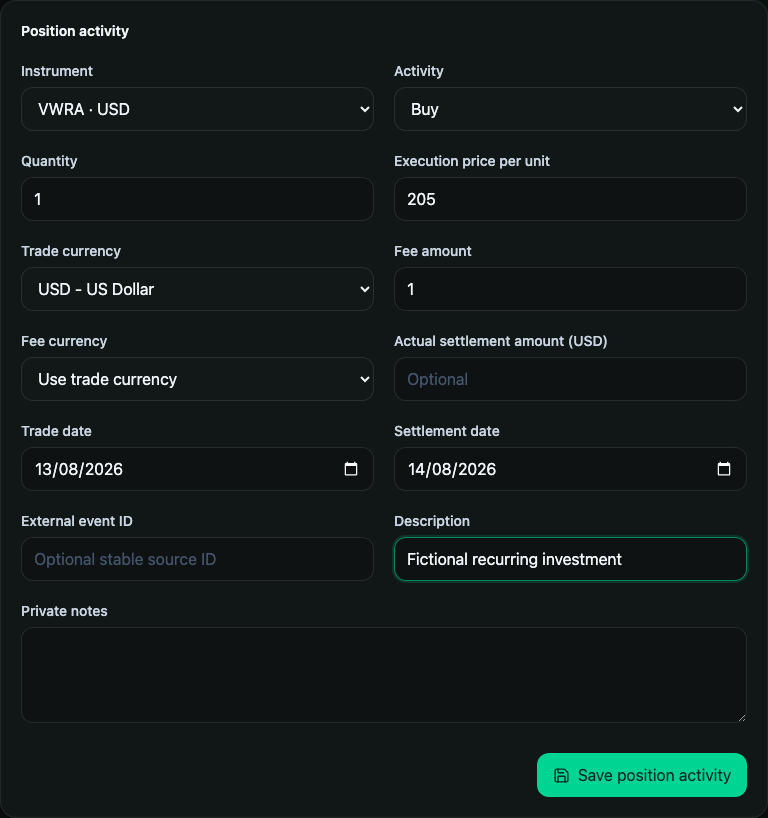
Buys and sells are internal allocation changes, not contributions or withdrawals. Cross-currency trades require the actual account-currency settlement or explicit applied settlement rate. An explicit settlement is the full net cash debit or credit, including fees; fees are not added again to that amount. A grouped reinvestment saves and deletes its dividend and buys atomically.
See Position-tracked investments for corporate actions, reconciliation, conversion, and price behavior.
Record a transaction
- Open an account and select a quick action, or open Transactions and select Add transaction.
- Choose the account and type.
- Enter a positive amount except for a signed manual adjustment.
- Choose the financial date.
- Add a description, optional stable external ID, and private notes.
- Save and verify the account balance.
Search and audit history
The transaction workbench combines literal text search with account, type, date, direction, and sort filters. Filters work together and remain in the URL, so a filtered view can be bookmarked or refreshed.
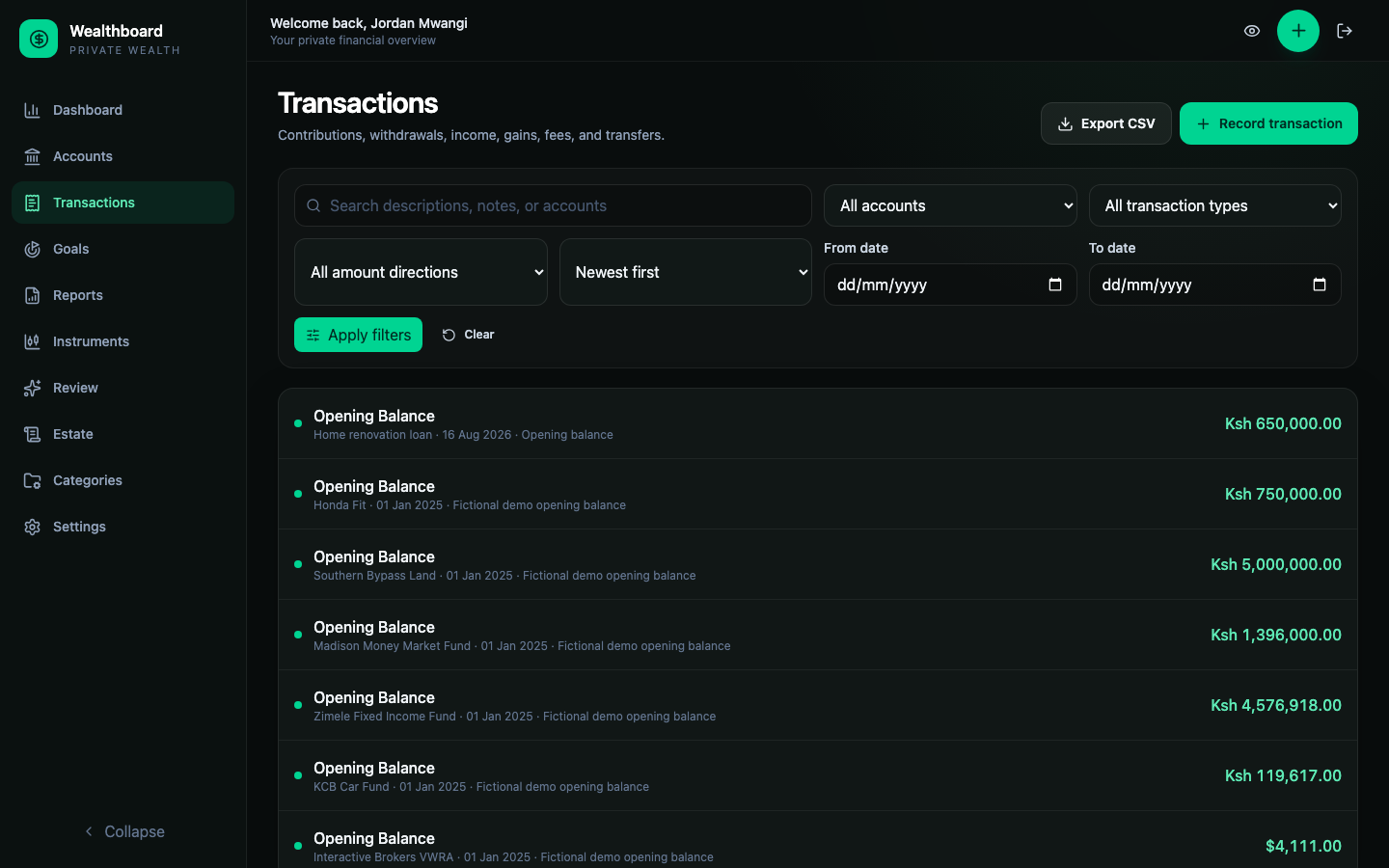
The CSV download uses the same filters as the current view.
Update an asset value
Use Value for a point-in-time observation such as:
- current property appraisal;
- vehicle market value;
- business valuation;
- statement balance for a manually tracked fund.
The valuation resets the account balance on that date. It does not count as a deposit, contribution, income item, or transfer.
Transfer between accounts
Choose Transfer, then select two active asset accounts belonging to you. Liability accounts cannot participate. Enter the source amount and, optionally, the actual destination amount.
If the destination amount is omitted, the Go service uses the source amount for the same currency or converts it with your rate effective on the transfer date. A cross-currency transfer without an explicit destination amount requires that historical rate.
The paired records are committed together. Deleting a transfer removes both sides together and replays both balances.
Import detailed account history
Start from the target account and select Import. Wealthboard accepts:
- CSV columns exactly
external_id,type,amount,date,description,notes; - JSON using the Account History Import v1 envelope;
- up to 5 MB and 10,000 rows.
Select Preview before committing. Preview does not write anything. The page shows outcome counts and the first 50 row results; download Report for all rows, the selected account, date range, and current/projected balances.
Commit import resends the file and its SHA-256 hash. The Go service reparses it and commits accepted rows plus balance replay atomically. The API supports an accepted subset, but the current web form requires resolving failed rows before enabling commit. A conflicting stored external ID blocks the entire commit.
Stable external IDs matter
Reimporting an identical external ID is safely skipped. Reusing an existing ID with different fields is a conflict and never overwrites the stored record. Do not use changing spreadsheet row numbers as IDs.
Opening balances and transfers cannot be imported through this format.