
Estate planning
Estate planning in Wealthboard is a private layer of instructions over your existing asset records. It answers: “What do I intend to happen to this asset?” It does not change who owns an account today.
The three estate views
- Beneficiaries: maintain people, organizations, and trusts.
- Distribution: decide which assets are included and assign percentages.
- Summary: resolve planning warnings and create an immutable print snapshot.
Step 1: Make the asset list trustworthy
Before allocating anything:
- add all material assets and liabilities;
- update stale property, vehicle, business, and investment values;
- resolve missing exchange rates;
- resolve missing position prices and review carried prices older than the configured stock, ETF, or fund freshness threshold;
- archive duplicates or closed accounts;
- verify whether jointly held property is wholly or partly yours.
Liabilities appear in the estate estimate but cannot be allocated as gifts.
Current valuation limits
The Go estate endpoints retain cached account values; they do not perform a complete effective-dated position valuation or exchange-rate conversion. Live base-currency totals include only same-currency values and are marked incomplete. Adding exchange rates alone does not resolve this limitation.
Review missing/stale prices in the account's Positions table. Do not rely on estate completion badges or gift estimates as a complete, reconciled valuation.
Step 2: Add beneficiaries
Open Estate → Beneficiaries. A beneficiary can be a person, organization, or trust. Record only enough information to identify the intended recipient.
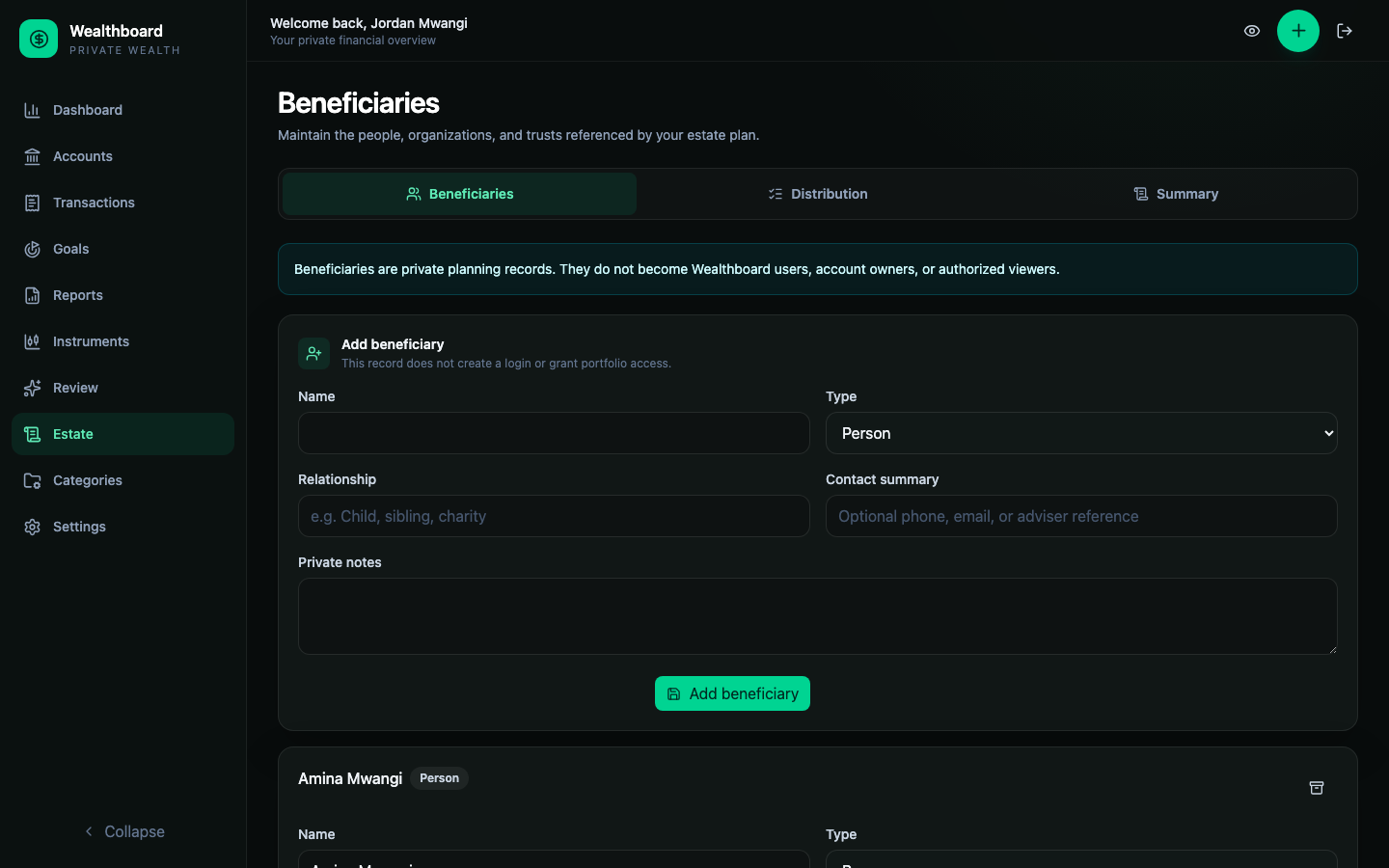
Beneficiary records are not Wealthboard logins. They cannot see the portfolio. Avoid storing national identifiers, identity-document images, medical details, or payment instructions.
Archiving a beneficiary preserves existing references but blocks new allocations and creates a review item until affected instructions are updated.
Step 3: Configure one asset
Open Distribution and find the asset.
Include this asset
Turn off Include this asset in the estate distribution plan when the item is informational or deliberately outside the plan. The account remains recorded, but is not intended for estate distribution.
Estate ownership share
Enter the percentage of the current asset value that belongs to your estate. Examples:
100%for solely held property;50%when only half of a jointly owned asset is yours;- another documented share for a partnership or business interest.
This is a planning assertion, not verified title information.
How it passes
Choose the transfer context that best describes the current arrangement:
- Passes through the estate
- Joint ownership / survivorship
- Provider beneficiary designation
- Held by a trust or entity
- Not confirmed
The choice records context. It does not perform or legally validate the transfer.
Distribution method
- Transfer the asset: intended recipient receives the asset itself.
- Sell and divide proceeds: percentages apply to sale proceeds.
- Provide cash equivalent: the asset may stay elsewhere while an equivalent gift is planned.
- Not decided: creates a review warning.
For indivisible property allocated to several people, “Transfer the asset” may imply shared title. Confirm that outcome is practical and lawful.
Step 4: Add primary allocations
Primary allocations are the intended first recipients. They may total less than 100% while drafting, but the plan is mathematically complete only when the remainder is covered by either:
- account-specific primary allocations totaling 100%; or
- a complete plan-wide primary residual allocation.
Percentages support two decimal places and are stored exactly as basis points.
Step 5: Add contingent allocations
Contingent recipients are alternatives if the primary recipient cannot inherit. They are not added to primary totals.
If you use account-specific contingent allocations, complete that tier to 100% so the alternative instruction is unambiguous.
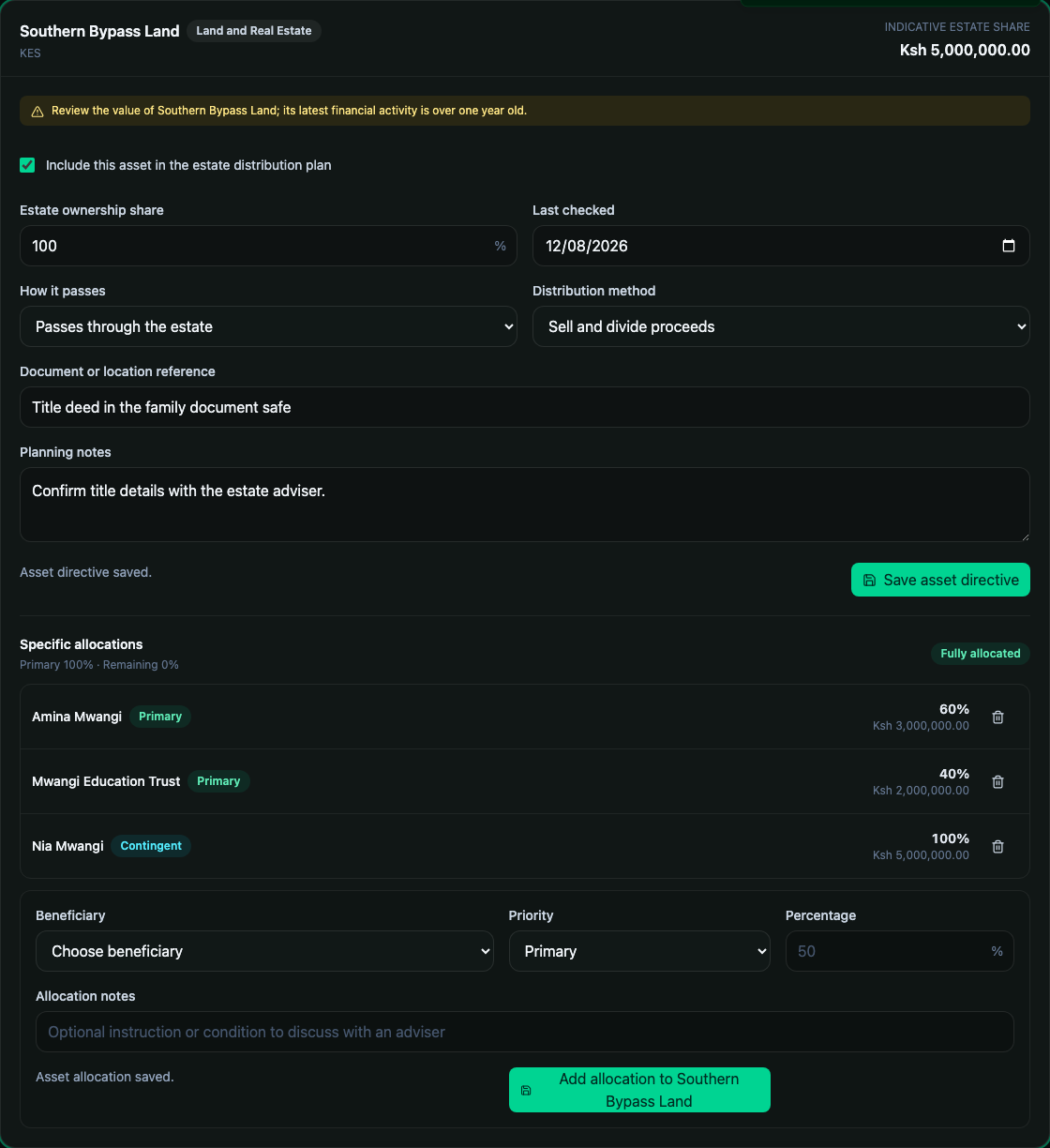
In this example:
- Amina receives 60% of the estate's interest in the land;
- the education trust receives 40%;
- Nia is the 100% contingent alternative;
- the land is intended to be sold and proceeds divided.
Step 6: Use the residual estate when needed
The Residual estate section applies to portions not specifically assigned and to property omitted from the itemized list. Residual allocations have separate primary and contingent tiers.
Specific account allocations take precedence. If an account has 70% assigned specifically, the primary residue covers the remaining 30% according to the residual percentages.
Residue is not a shortcut for incomplete thinking
Review major assets individually even when a residual rule exists. Ownership, survivorship, provider designations, liquidity, and title constraints may cause an asset to pass outside an estate or require special handling.
Step 7: Read the completion review
Open Summary. Wealthboard separates:
- blocking mathematical items: unconfigured assets, incomplete allocations, missing active beneficiary coverage, or archived recipients;
- planning warnings: zero values, unknown transfer context, undecided methods, shared-title arrangements, liabilities, and an unrecorded plan review.
Archived accounts are omitted from live estate views. Review their instructions before archiving, and check price freshness and FX separately in the financial account and report screens.
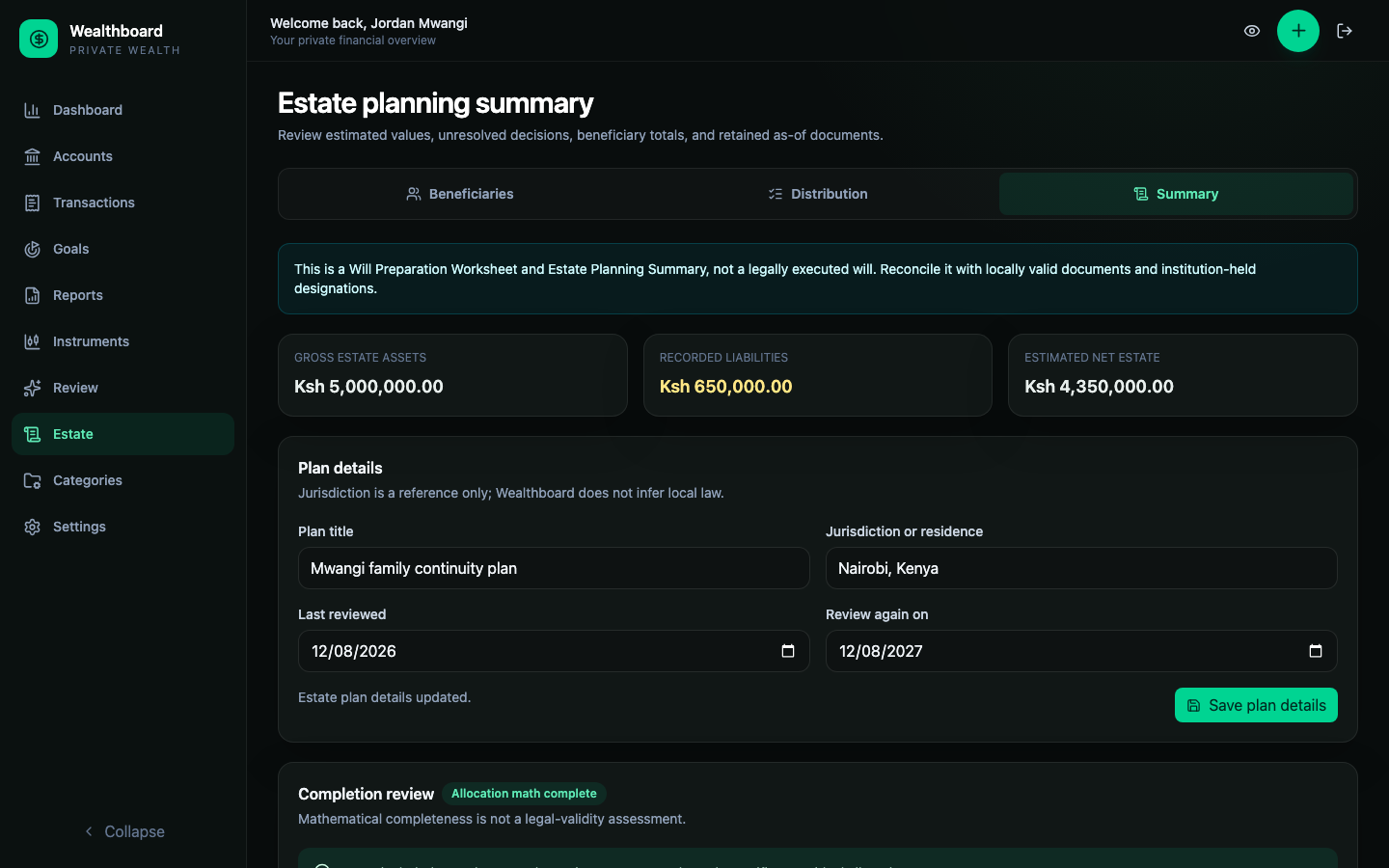
“Allocation math complete” means only that percentages reconcile. It is not a legal-readiness badge.
Step 8: Create a retained summary
Select Create summary to retain an immutable, versioned snapshot with an as-of date and SHA-256 integrity hash. Later account or allocation changes do not rewrite it.
The current snapshot retains source instructions and cached values, not a complete server-calculated allocation or historical price/FX valuation. An integrity hash confirms unchanged content, not financial or legal correctness.
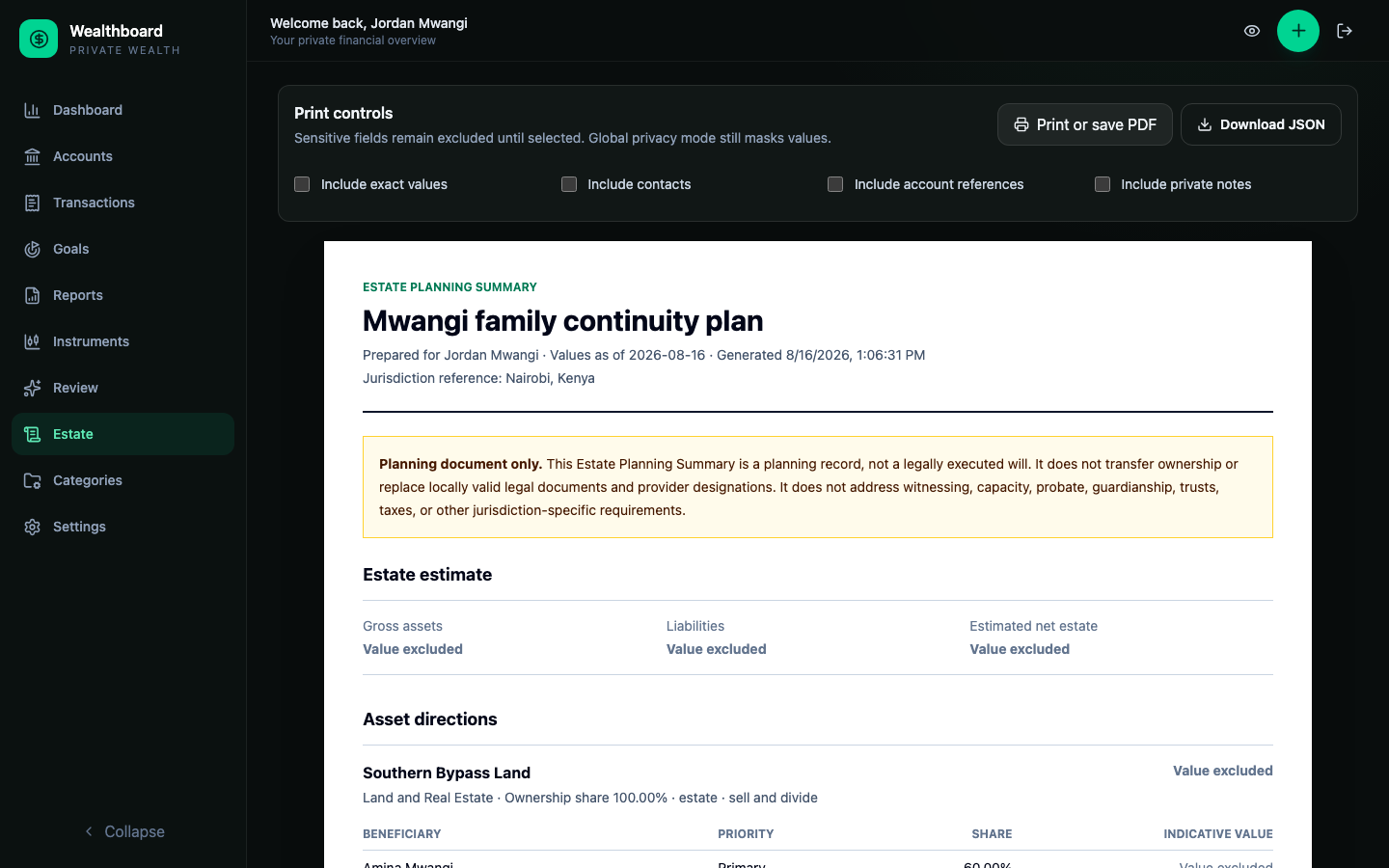
Before printing or saving as PDF, explicitly choose whether to include:
- exact values;
- beneficiary contacts;
- account and document references;
- private notes.
They are excluded by default. Global privacy mode still masks values even when the document's “Include exact values” option is selected.
Retained summaries can also be downloaded as JSON or deleted without changing the current plan.
Review cadence
Review after a major life or ownership change, and at least annually. Check:
- beneficiary names and contingencies;
- account ownership shares;
- current valuations and exchange rates;
- debts and estate liquidity;
- provider-held beneficiary forms;
- whether legal documents say the same thing;
- the next review date recorded in Wealthboard.